In use
Real work, from wherever you are
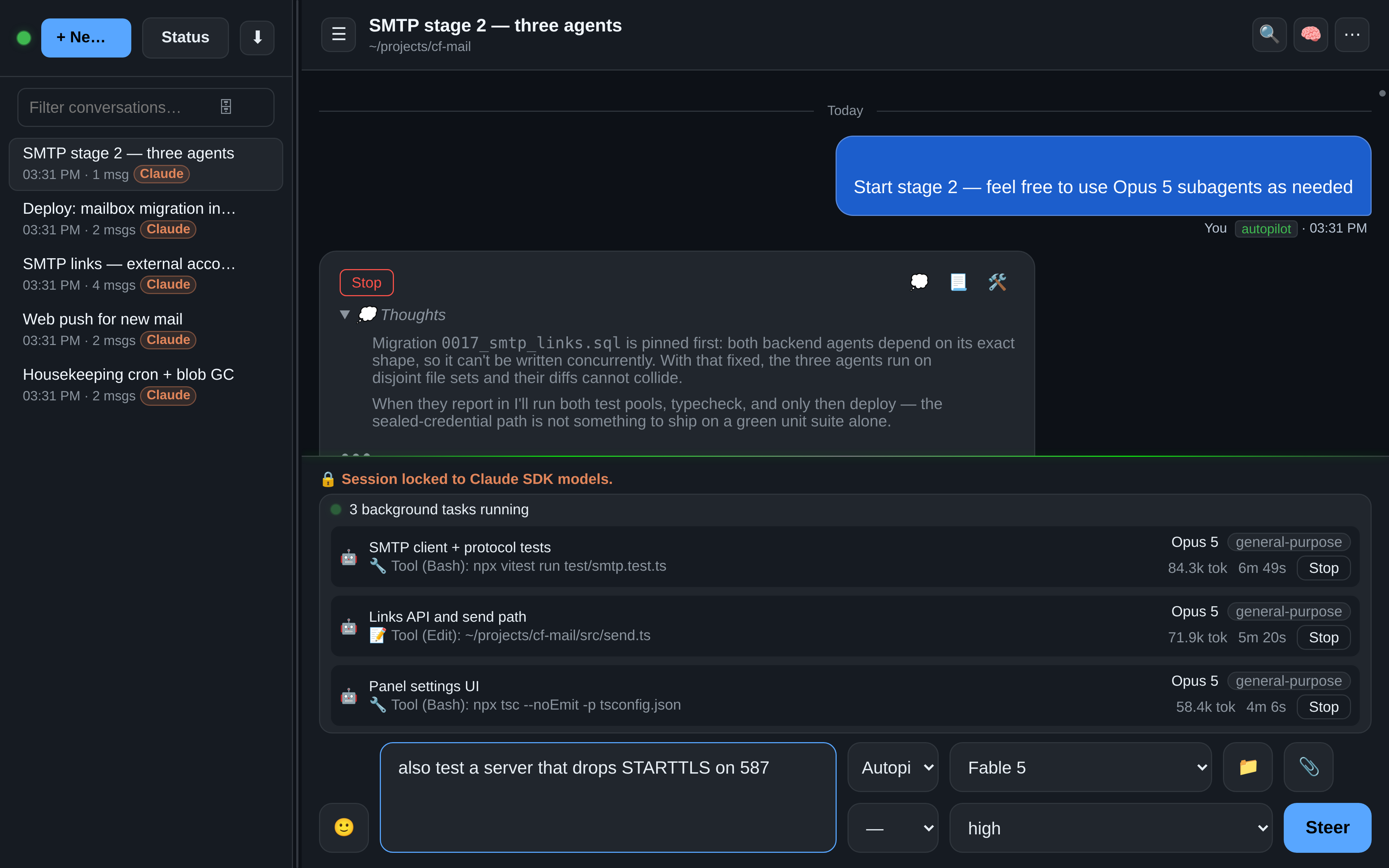
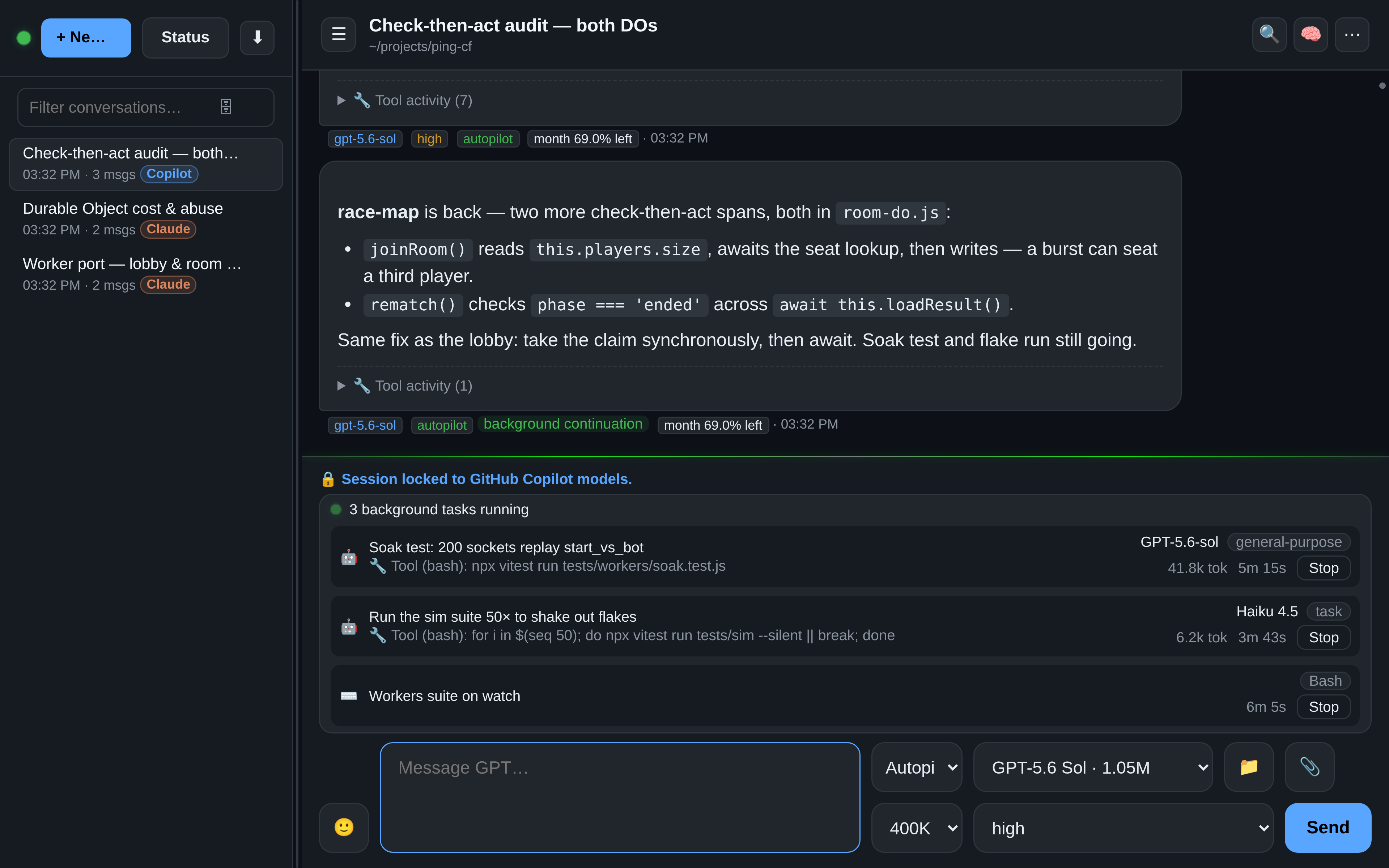
These are staged from OAR's own history — a Cloudflare mail server and a multiplayer game, driven from a browser. Read the agent's thinking, answer its questions, and steer mid-turn.


Agent teams
One turn, a whole crew
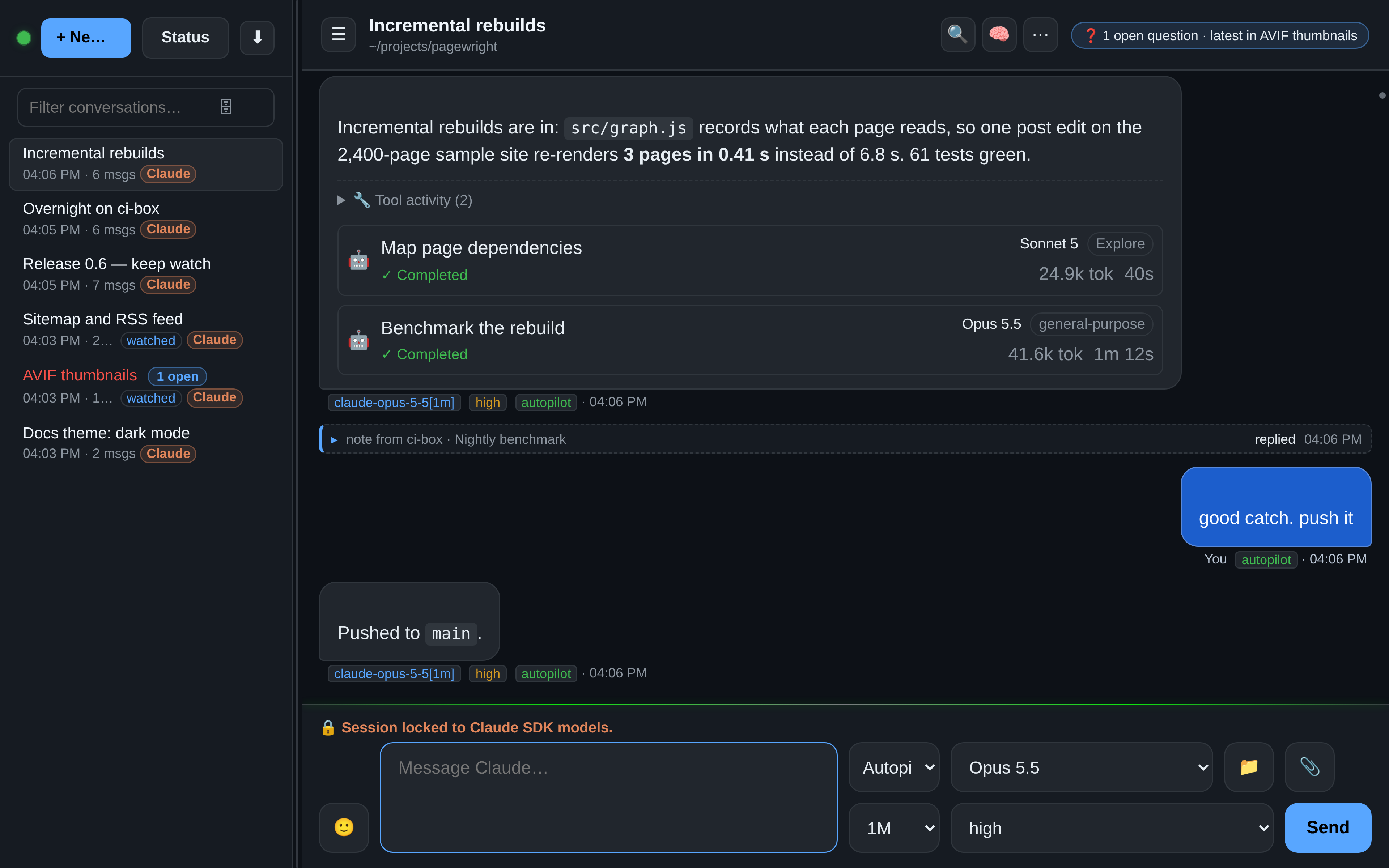
Agents can split work across subagents that run in parallel — and OAR keeps every one of them on screen: the model it runs on, the command it is running right now, live token counters, elapsed time, and a Stop button that works from your phone.
- Background tasks keep running while you read, steer, or walk away.
- Each subagent is trackable and cancellable on its own.
- Works with Claude's and Copilot's task systems out of the box — background agents and detached shells alike.
Watching sessions
Agents that watch agents
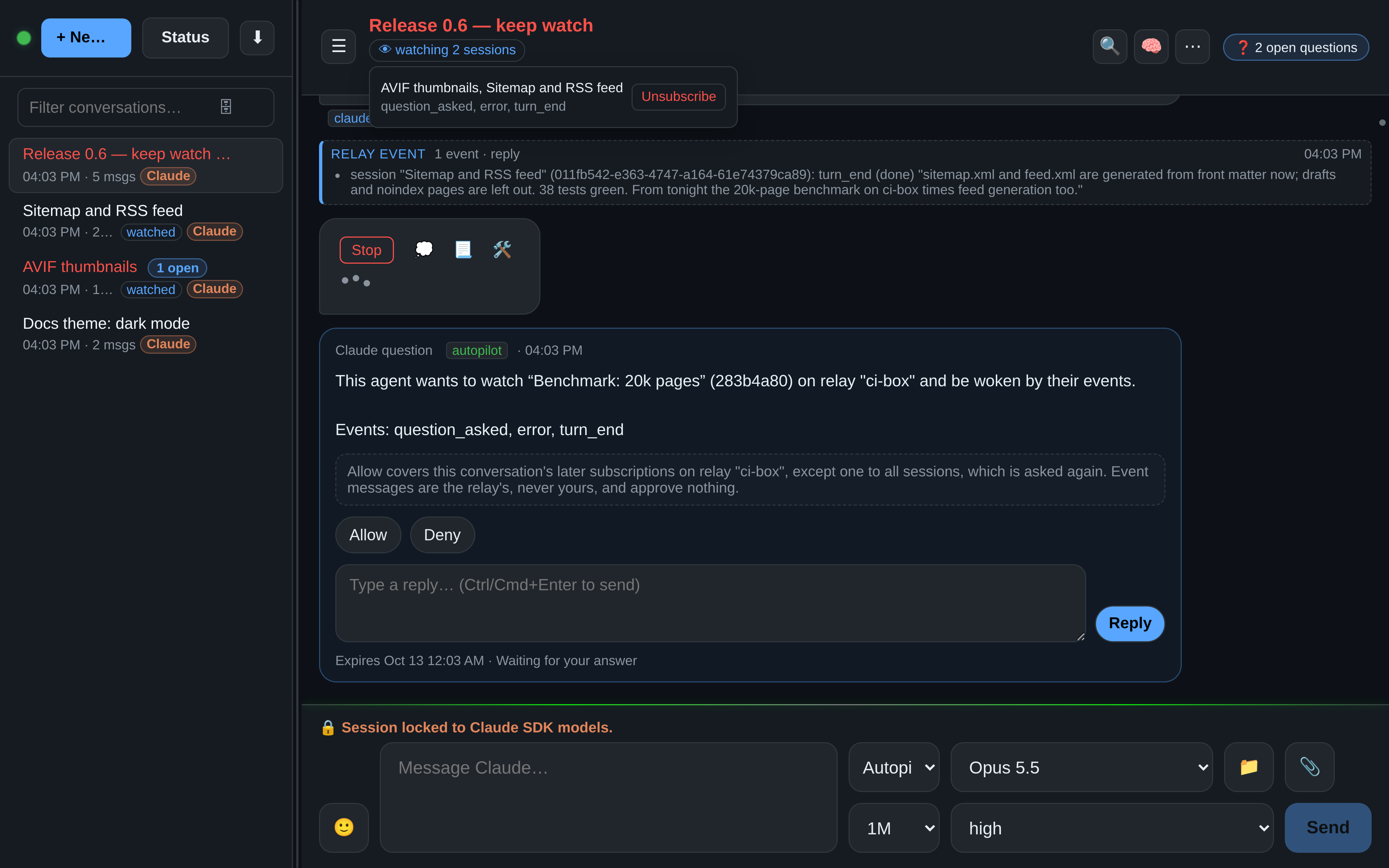
An agent can subscribe to other sessions — on the same relay or on a paired one — and is woken when something happens there: a question waiting for an answer, an error, a reply, a background task that finished, a session that went quiet. No polling: OAR writes a short note into the watcher's conversation, and the agent takes it from there.
- Subscriptions only notify. An event approves nothing and answers nothing; the agent can do exactly what it could before.
- You approve the first subscription of a conversation on a card. The header then shows watching N sessions, with an Unsubscribe for each.
- Across paired relays too: each event names its relay, and what happened while the link was down arrives as one replayed row.
- A burst of events is one message, and a busy hour becomes a digest — questions and errors still get through at once.
- When agents talk to each other, the note and the reply fold into one row, and every sub-agent's full record is one click away.
Runtimes
One relay, eight runtimes
Pick the runtime per conversation. One queue, one history, one UI.
- CopilotSDK engine with steering and background agents
- ClaudeAgent SDK with steering and thinking control
- Claude APIClaude on a Console API key, with an optional monthly cap
- Claude CloudExperimental: Claude Code in a sandbox at Anthropic, on a GitHub repo
- CursorAgent with pinned subagent models
- GrokVia the ACP protocol
- OpenAIBring your own key, images included
- DeepSeekClaude Code thinking with DeepSeek’s models, on your own key


Themes
Day and night
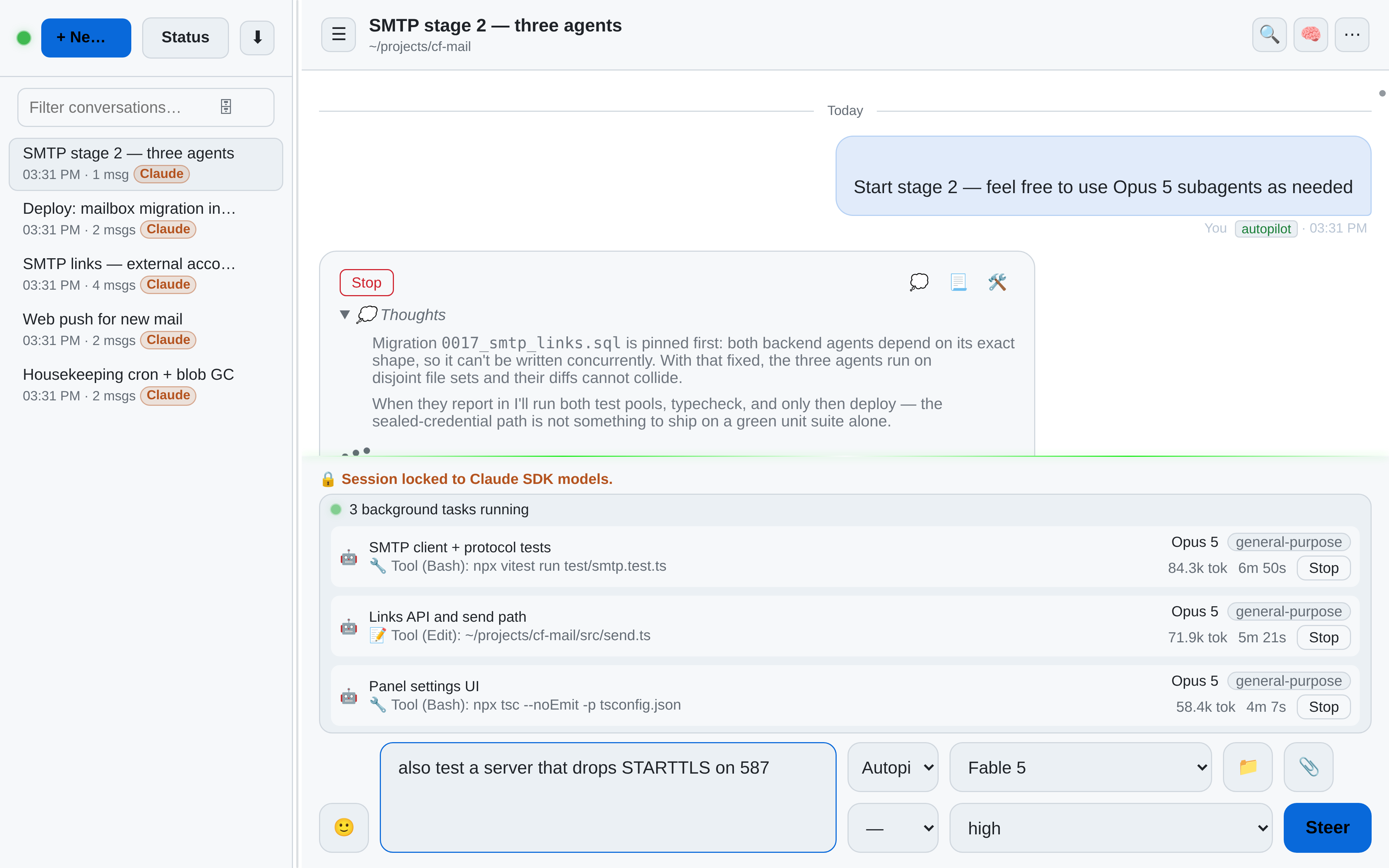
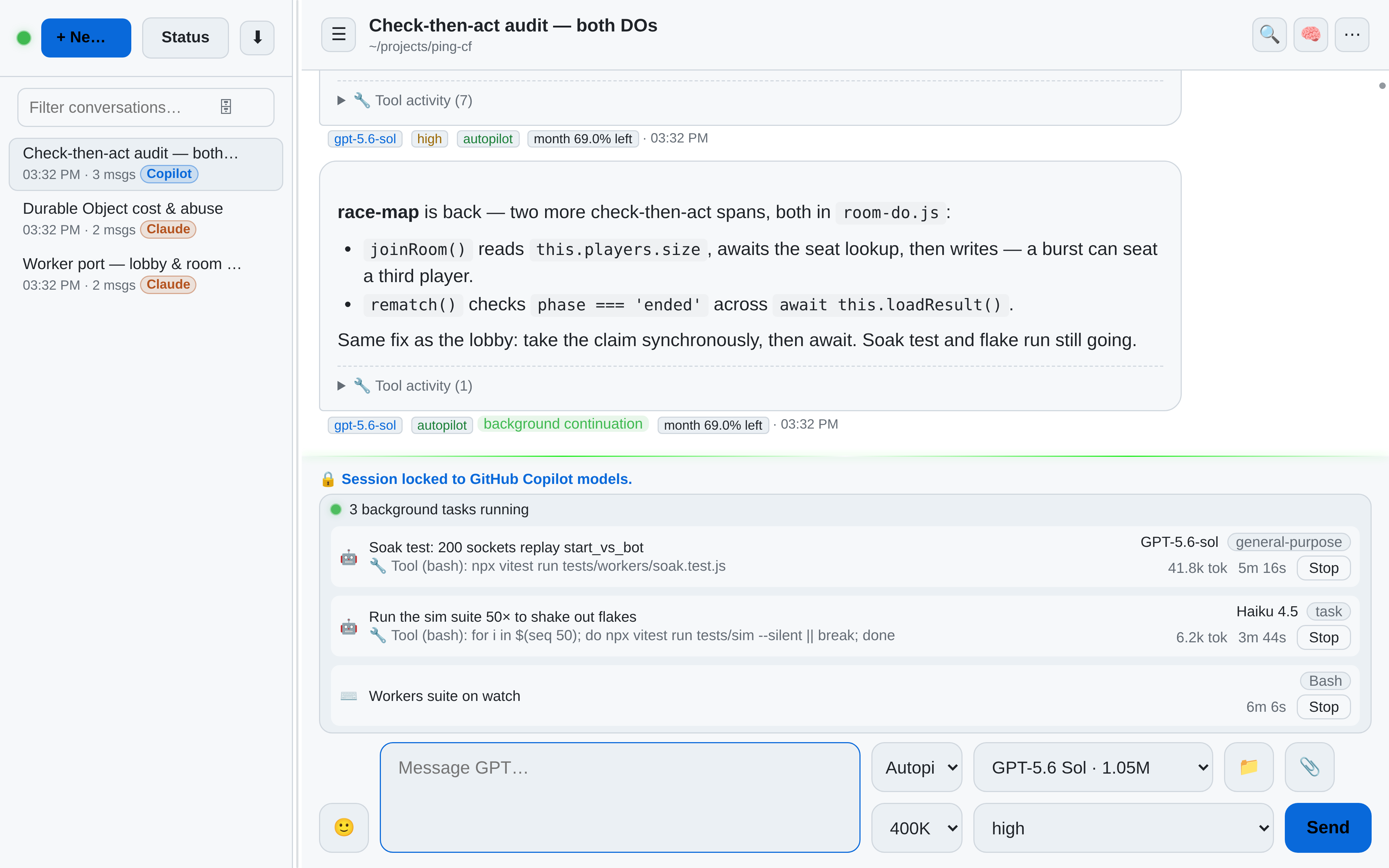
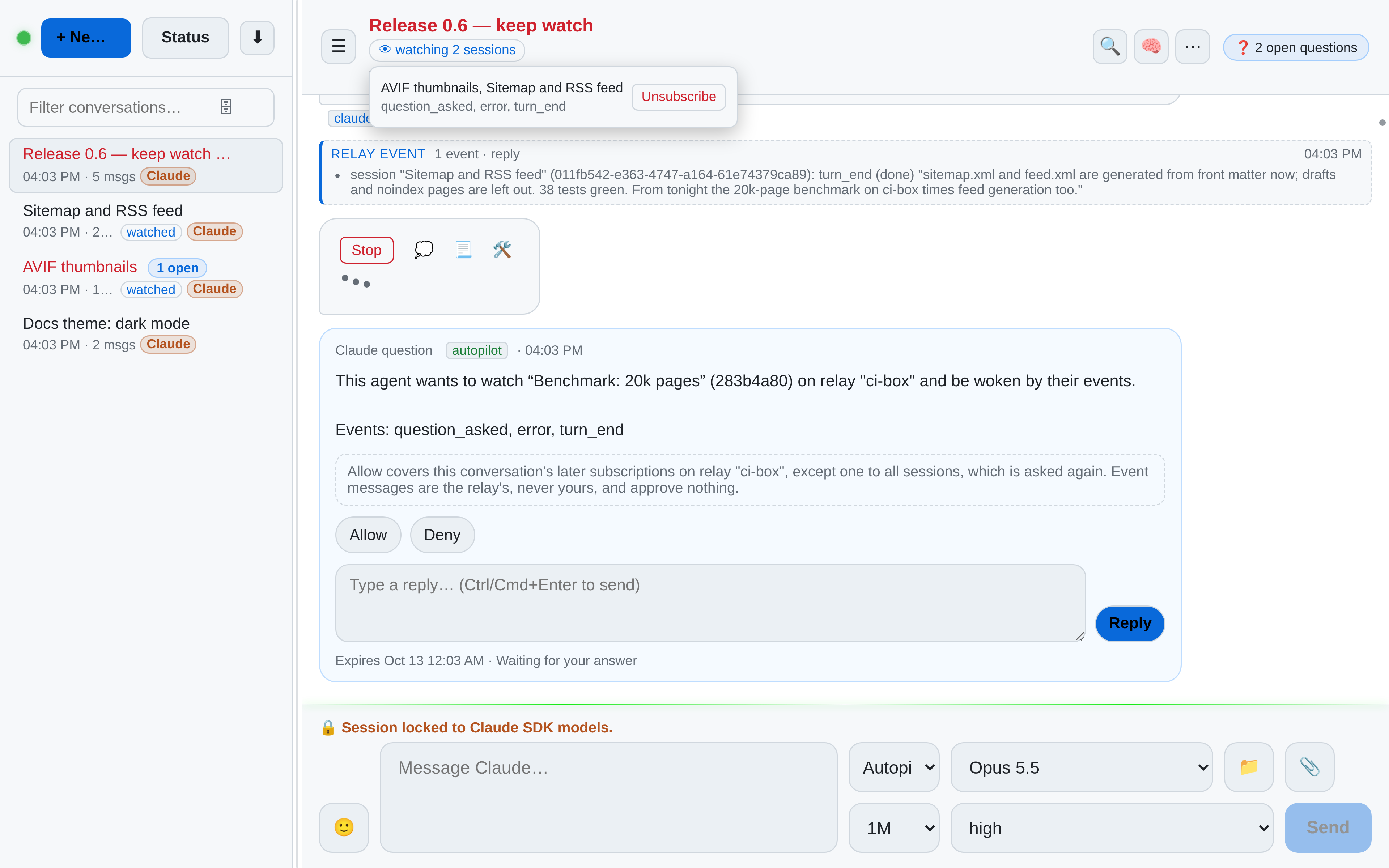
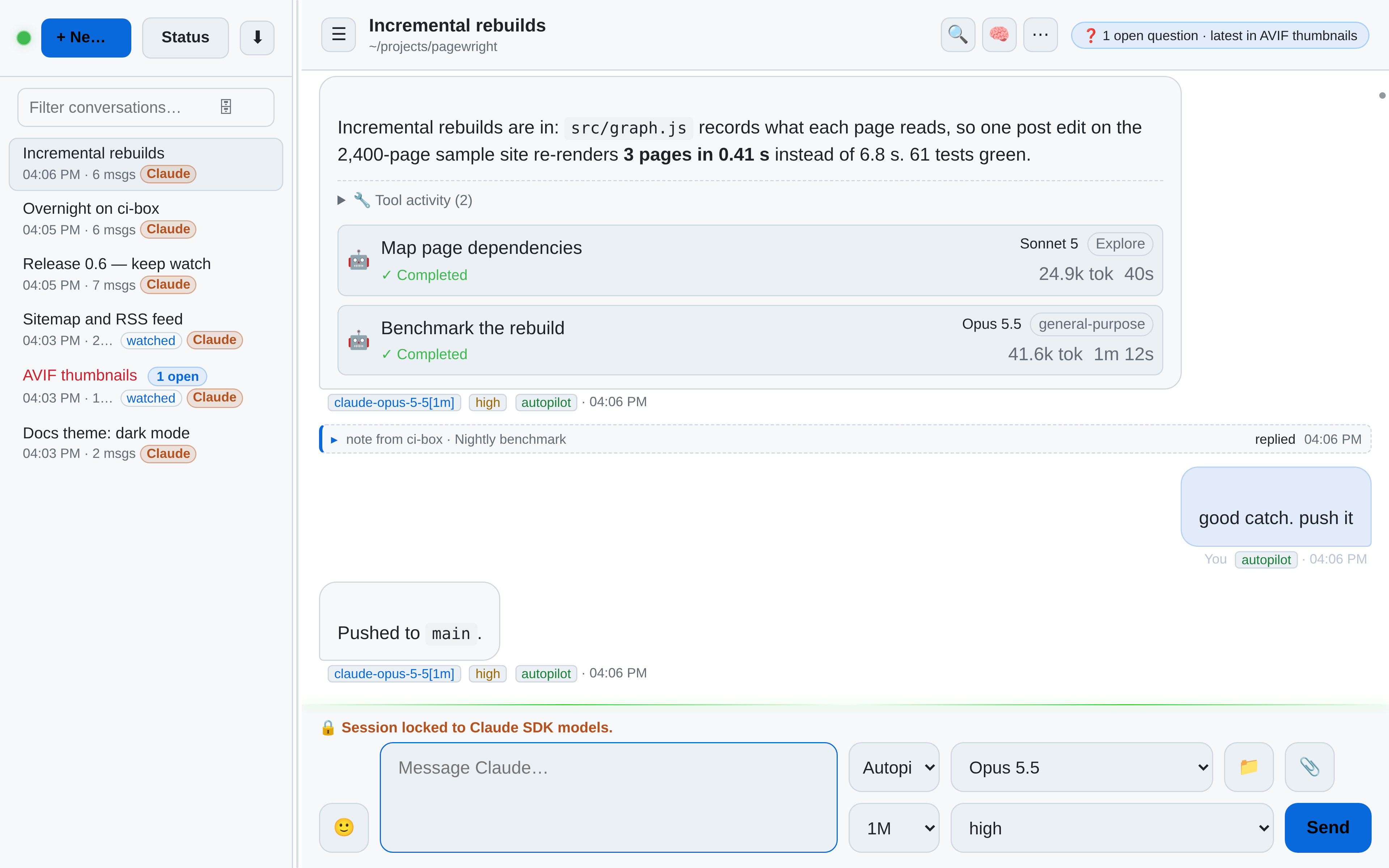
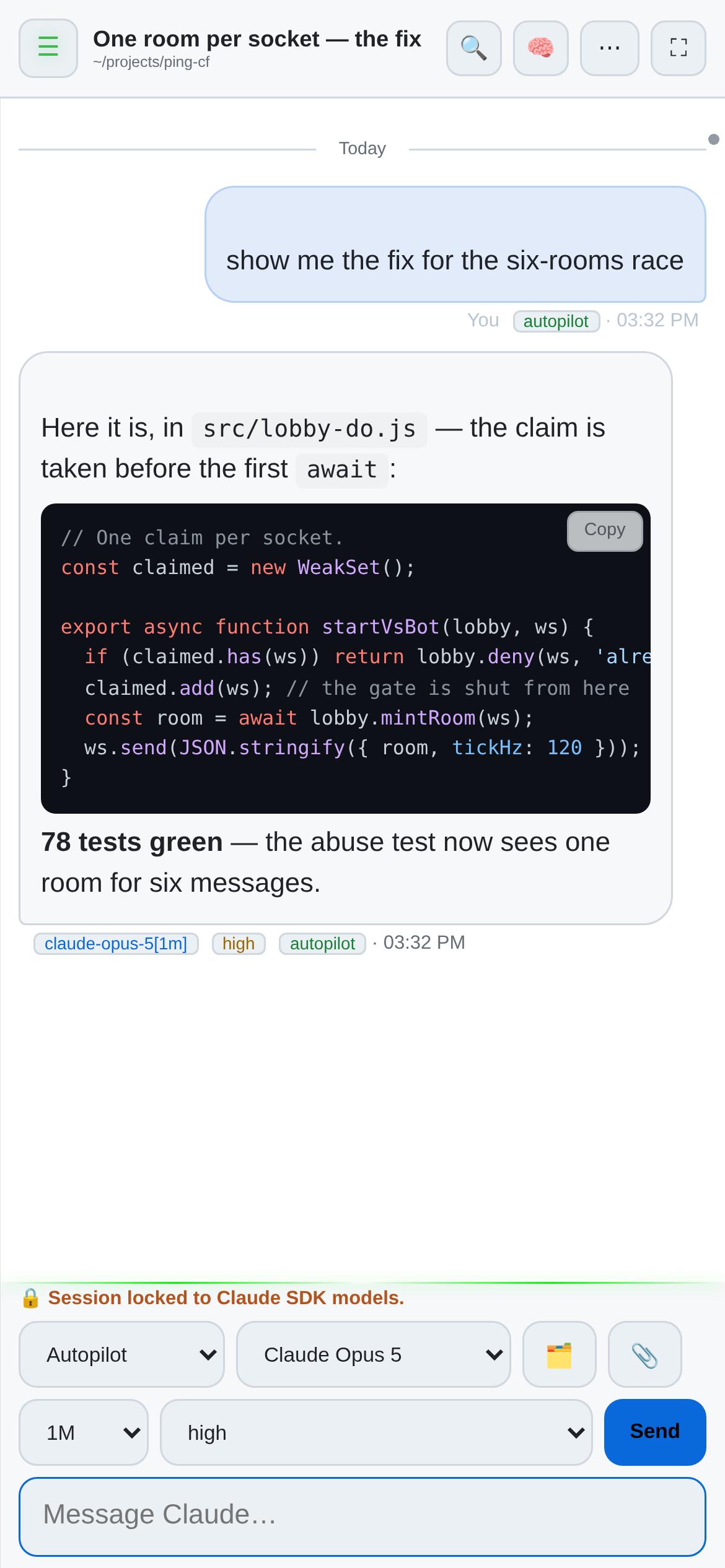
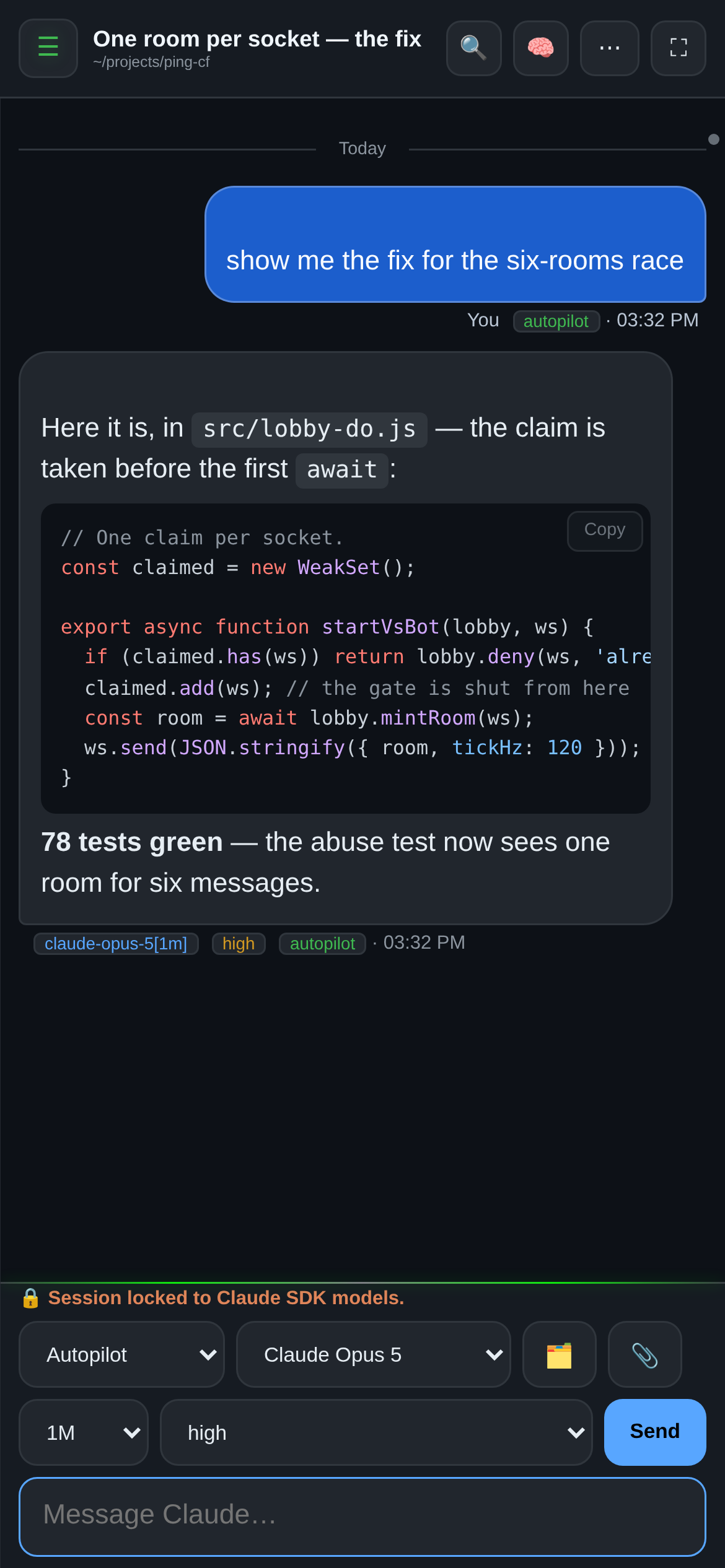
OAR has a Day mode and a Night mode, and every screenshot on this page follows the switch in the top bar. Drag the divider to compare the two; the phone beside it shows the mode this page is not in.


Features
What you get
- Installable PWAAdd it to your home screen; it feels like an app, because it is one.
- Steer mid-turnSend while the agent works — your message joins the running turn.
- Background agentsRun agents in parallel and watch them work from the panel.
- Question cardsAgents ask mid-turn; pick one answer or several, from the couch.
- Drafts that follow youStart a message on your laptop, finish it on your phone.
- Files & previewsBrowse the workspace and preview files without leaving the chat.
- Preview lanesPublish a dev server on a public URL straight from a conversation.
- Push notificationsKnow when a turn finishes or an agent needs you.
- Folders, tooCreate, rename and delete files and folders in the file browser — on a phone with a long press.
- Back to the latestScrolled up? A ⌄ button counts what arrived meanwhile and takes you back to the end.
- Archive with careArchiving a session whose process is still running asks you first.
- Settings from the startOpen Settings before the first chat exists, and switch on a provider on a fresh install.
- Your retentionChoose how long sub-agent tool output is kept: a week, up to 90 days, or for good.
- Plans, checked by agentsAn agent can ask what each provider’s plan has left — here or on a paired relay — before it starts costly work.
Plan usage
Know what your plan has left
OAR tracks plan usage per provider and puts all of it in one modal. Open “Check Usage” mid-turn and you can see whether an evening of agent-running still fits your plan — before the provider cuts you off, and from the same browser tab you steer the agents in.
- Claude subscriptions: the 5-hour session window, the weekly limits, and what the session cost per model.
- Copilot: the premium-request quota plus the SDK worker’s per-turn detail — AI credits, tokens, model calls.
- DeepSeek: the balance, an optional monthly budget, the estimated spend per day and per model, and the web searches counted.
- Claude API: the estimated spend of today and this month per model, and an optional monthly cap as a bar.
- Cursor and Grok get cards of their own, fed by the same panel.
- Numbers come from the workers' own reporting and the providers' quota APIs, and update as you work.


One caveat, plainly: this is not a billing statement. The quota figures come from the providers, but the session costs are client-side estimates OAR computes from token counts — read them as a gauge, not an invoice.
Install
Quickstart
- You need at least one provider CLI you already use (Copilot, Claude, Cursor, or Grok — or an OpenAI, DeepSeek or Claude Console API key). Linux and macOS need nothing else; Windows also needs Node.js ≥ 22.13.
- Run the one-liner. On Linux and macOS it says what it will do and asks once. It uses your Node.js when that is new enough and otherwise downloads one for OAR alone, then installs
@oar-sh/oarinto your home directory — nothing needs root. The macOS path is not yet tested. - It writes the config with a fresh auth token, starts the relay and prints the relay URL with a QR code — open it and you're in. Where systemd runs a user session, the relay is a service and is back after a reboot. On Windows the installer hands over to
oar setup, which asks for token, access and port; start the relay afterwards withoar start. - Optional, and off by default: LAN access so your phone connects directly —
oar setupturns it on — and a tunnel for access from outside your network, set in the config and run with thecloudflaredyou install. From then on,oaralone opens a menu with start, stop, restart, status, URL and service; the Copilot terminal session isoar copilot.
Next: First run in the docs — signing in, opening the relay on your phone, and everything after that.
Trust
Security, plainly
OAR runs on your hardware and binds to localhost by default. The auth token is generated locally and never leaves your machine; remote access is opt-in via a tunnel you control. Be clear-eyed about one thing: the agents you relay run with your user's permissions — OAR adds reach, not a sandbox.
FAQ
Questions, answered
- Do I need a Copilot subscription?
- No. Any one runtime is enough — OAR relays whichever agents you already have.
- Can I message an agent while it's working?
- Yes. On Claude and on Copilot's default SDK engine, what you send joins the running turn instead of waiting for it to finish. If the agent is waiting on your answer to a question, your message queues and follows right after.
- Does it work on Windows?
- Yes. The relay runs on Windows, macOS, and Linux; the browser side runs anywhere.
- Does OAR send my code anywhere?
- OAR itself sends nothing. Your code goes only to the model providers you invoke, exactly as it would from their own CLIs.
- How do updates work?
- Checking is opt-in — the relay contacts nothing until you enable it in Settings or press "Check now". When a version shows, you tap to update; it restarts only when no agent is mid-turn. Never automatic.
- Can I run it on a VPS or homelab?
- Yes — anywhere Node runs. Keep the auth token safe and prefer a tunnel over an open port.
Changelog
What's new
-
0.9.19
- A relay that runs out of memory starts again by itself instead of staying down. It now starts with a heap limit, 60 % of RAM between 2048 and 8192 MB, which
heapLimitMbinconfig.jsonsets, and writes one heap snapshot todiagnosticsin its data folder when it nears that limit. A heap snapshot holds the relay’s auth token and API keys: never share one as it is. The log shows the relay’s memory every 10 minutes and when the heap passes 80 % of the limit. - Agent sessions can use the providers a later relay update adds, without a restart:
relay_tooltakes any provider id, and the relay checks it against its current list and names that list when it refuses one. - Copilot refuses another provider’s model id, such as
claude-opus-5-5for Copilot’sclaude-opus-5.5, withCOPILOT_MODEL_UNAVAILABLEand the close match before anything is created. - Every change is in the release notes.
- A relay that runs out of memory starts again by itself instead of staying down. It now starts with a heap limit, 60 % of RAM between 2048 and 8192 MB, which
-
0.9.18
- Claude chats can run on a Claude Console API key. Claude API is a provider beside Claude (your subscription), billed to the Console organisation the key belongs to. Settings → Providers → Claude API holds the key, the default model and an optional monthly spend cap in US dollars; the key is stored on the relay’s machine and never shown again. New Chat offers Claude API, and its chats show a gold “Claude API” pill.
- A Claude chat switches between your subscription and the key with the Subscription | API key toggle and keeps its Claude Code session. The switch applies from the next turn; the first turn on the key has no prompt cache and costs more. When a subscription chat is paused at the Claude usage limit, the banner offers the switch if the chat may move to the key, and the paused turn carries on on the key at once. Nothing switches by itself, and agents can switch a session’s billing with
relay_toolsend. - The usage view has a Claude API card: what this relay’s turns on the key are estimated to have cost today and this month, per model, with the tokens, and the monthly cap as a bar when one is set. The figures are Claude Code’s own estimate; the Console’s billing page has the real ones. Once the month’s estimate reaches the cap, a new turn on the key does not run, a switch to the key is refused, and a new Claude API chat gets
CLAUDE_API_CAP_REACHED; New Chat then offers Start on subscription. A turn that is already running finishes. - DeepSeek and Claude API chats start with all hooks off, so no hooks or status line run in them, and a folder’s settings can’t turn them back on. Hooks in managed settings still run, and chats on your Claude login keep their hooks and status line.
- A subscription chat never runs on an API key that Claude Code’s settings hand it (
env.ANTHROPIC_API_KEY, anapiKeyHelperor a Console login). The turn stops at Claude Code’s start, with a note naming the source and the setting to remove; at most one model request can go out first. - The relay’s agent tool is now called
relay_tool(Claude’smcp__relay__relay_tool), with the same actions and fields. If your own instructions, permission rules or hooks nameremote_relay, change them: outside OAR’s MCP server the old name is refused. - Every change is in the release notes.
-
0.9.17
- DeepSeek is a provider of its own. Paste a DeepSeek API key in Settings → Providers → DeepSeek, and New Chat offers DeepSeek’s models. A DeepSeek chat runs Claude Code on the relay’s machine against DeepSeek’s API, with all four modes, tools, question cards, sub-agents, steering and background tasks, reasoning effort low, high or max, and the 1M context window.
- The key is stored on the relay’s machine, is never sent to a browser and reaches only DeepSeek’s workers. A
.claude/settings.jsonor.claude/settings.local.jsonin the chat’s folder can’t route the key elsewhere. This covers settings, not commands: hooks and a status line in those files still run as the relay’s user, as in any Claude Code chat, so use DeepSeek chats only in folders you trust. - The usage view has a DeepSeek card: the account balance, the estimated spend of this relay’s DeepSeek turns by model, from DeepSeek’s published prices with peak and off-peak hours, the daily spend of the last 30 days, and a monthly budget when you set one. Import usage export on the DeepSeek tab puts DeepSeek’s own figures on the card for the days the export covers.
- A new session in a group shows at the top of the group. The order you set stays.
- The relay’s own Anthropic credentials no longer reach the agents it starts:
ANTHROPIC_API_KEYandANTHROPIC_AUTH_TOKENreach no worker, and a Claude login token in the relay’s environment reaches only the Claude and Claude Cloud workers. Claude chats that ran on such a key now run on the host’s Claude login. - Fixed: the Inbox opens at the top, or where you left it; the session header on a phone comes in two rows; OpenAI image models work on the SDK engine again.
- Every change is in the release notes.
-
0.9.16
- Agents can ask you a question without stopping their work. The new Inbox in the sidebar lists every open question from this relay and its paired relays in one place. You answer there or in the session; a paired relay's approval cards open on that relay.
- Agents can schedule prompts, once or every few minutes, and the relay keeps them across restarts. A conversation's header lists its schedules, each with a Cancel button.
- Agents can change another session's model, mode, title, group or working folder. A session they did not start needs your Allow first.
- Agents can put the sessions they start into your session groups, and an agent that watches sessions can ask to be woken less: a digest every few minutes, quiet hours, or sessions left out.
- A new switch in the 🧠 settings of a session an agent started lets its agents start sessions of their own.
- Fixed: relay events and other automated messages no longer count as your message, so agents that keep prompting each other ask you sooner.
-
0.9.15
oar setupasks how the relay starts on Windows: when you sign in, at boot before anyone signs in (one administrator prompt), or not at all.oar autostart signin|boot|off|statusswitches later and shows what is set up.oar uninstallstops the relay, takes out the autostart entries OAR made, then removes the package. Your config, conversations and uploads stay, and it says where;--purgedeletes them too, after you typedelete.- A declined administrator prompt changes nothing, and boot mode works with a space, an apostrophe or non-ASCII letters such as ü in the profile path.
- A hand-made autostart task, or one only an administrator can read, is never deleted or replaced without a copy: OAR stops and asks for
--replace, which keeps a copy first. In 0.9.14, switching to boot mode could delete such a task without one. - The npm package is smaller: the two developer READMEs are on GitHub only.
-
0.9.14
- Before you update from 0.9.13 with Windows autostart, or a relay a plain
gh copilotstarted: those relays kept their conversations inside the installed package, and an update deletes them with it. Close everygh copilotsession and runoar stop(if the relay keeps running, end its node.exe in Task Manager), copy the package’sserver\dataandserver\uploadsfolders somewhere safe, then update withnpm i -g @oar-sh/oar --allow-scripts=@oar-sh/oar,better-sqlite3,koffi— never with--ignore-scripts. Every step is in the release notes. - Autostart and
gh copilotrelays now run on the same data asoar start, outside the package. An update copies the data an earlier version kept in the package before npm removes it, and the relay takes it over at its next start. Nothing is deleted, and when the relay cannot tell which database is newer it stops and says so. - A relay lock left behind by a crash or a power loss no longer blocks the next start, and two starts no longer both run. Windows autostart waits up to 5 minutes for
%TEMP%and the data drive, so a RAM disk or a drive mounted late no longer trips it. - Cursor conversations keep their agent across updates, uploads follow the config’s
dataDir, andoar setup --migrate-fromworks after the installer has run. - Agents can ask to be woken when the relay runs again (
relay_restarted), so their work goes on after a restart. An agent’s preview tool lists and closes only its own conversation’s previews. - Approval cards take a click, not typed text: a “yes” typed into a reply box no longer counts as a denial.
- Fixes: a conversation whose folder was deleted or renamed says so, instead of blaming the CLI; answering a question no longer gets a long turn sent again; a resumed sub-agent opens its record and is listed while it runs; every Cursor model that takes a reasoning effort gets one.
- Before you update from 0.9.13 with Windows autostart, or a relay a plain
-
0.9.13
- Relay restarts: 🌄 Restart web relay first lists the running turns it would wait for, the messages it would hold and the background tasks, each with whether it keeps running; Restart when idle queues it, Restart now does not wait. While it waits, every page shows a banner with the sessions, how long it has waited, Restart now and Cancel restart.
- A queued restart no longer waits forever: after a time you set in Settings › General (30 minutes by default) the banner and a push notification ask whether to restart now, keep waiting or cancel. It never restarts by itself while turns run.
- Opt-in in Settings › General: after a relay restart, a session whose turn the restart cut off gets one short note to check what it was doing and carry on. Your message is never sent again.
- The task console survives a relay restart: finished rows come back with their ✓ or ✘, and a running command's output is readable at once. It marks where a
| tailholds the output back, with a hint to log to a file, and on a wide screen the task's row with its Stop stays in view below it. - Load earlier sits in the console's header too, a test run is counted over its whole log instead of the last 64 KB, and vitest's RUN, PASS and FAIL badges show filled.
- A message sent without a model, by a script or an agent, keeps the conversation's model, effort and mode instead of switching to the first model of the list.
remote_relayrefuses a model the provider does not list and names the close match (“did you mean 'gpt-5.4'?”). - Watching agents are no longer woken by every shell command that ended well: by default they hear of finished sub-agents and failed tasks. Name
task_finishedto get every task end, as before. - Fixes: workers reconnect after a relay restart even when their connect hangs; credentials in a task row's description and summary are blanked; a scroll right after older messages load is no longer undone, and the ⌄ badge counts a message that arrives just as you scroll up; the task panel no longer shrinks back for a moment; the unit suite passes on Windows again.
-
0.9.12
- Task console: click a background command or monitor in the task panel to read its output live — colours kept, credentials blanked, progress bars collapsed to their last state, Load earlier back through the whole log, and a Stop of its own. Claude's background shells and monitors, Copilot's detached and attached shells and Grok's terminals all open one.
- Quiet tasks and test runs: a row says “no output for 12 min”, in amber after a time you choose in Settings › General (10 minutes by default), and a test run (vitest, Playwright, node:test, jest, pytest) shows a ✓ 412 ✘ 2 chip whose click jumps to the first failure.
- Claude background commands may run for 2 hours by default, up to 8 (Settings › Providers › Claude), and Claude is told to log long runs to a file and to start runs that must survive a restart with
nohup. - Sub-agent rows count their steps, and agents read a task's output on a paired relay with
remote_relayread_task_output. - Long conversations open and page back fast: the relay reads only the page you ask for, however long the conversation is.
- Switching back to a conversation, or reloading the page, returns to the message you were reading, older pages included. Settings › General sets how many messages each conversation keeps for that.
- The conversation list shows activity by colour: a working session's title stays bright green, an idle one turns a darker green, and the animated dots are gone.
- Fixes: new messages no longer skip the ones in between while you read far up the history — they wait, counted on the ⌄ button, and load in order as you scroll down; a message you send from there takes you to the end; images that load late no longer push the text you are reading down; Copilot background tasks report how they ended, with the exit code, instead of “unknown”.
-
0.9.11
- Session groups: a session an agent starts sits under the session that started it, with a pill that sums up the group (“3 · 1 waiting for you, 2 running”). Groups fold away when everything in them has finished, can be named, archived or stopped as a whole, and a question in a folded member shows on the head row.
- Drag and drop: drag sessions into a group, out of it, or into a new order; drop one session onto another to make a new group. On a phone, long-press and move; with the keyboard, Move up and Move down.
- Settings › Sharing lists every shared link with Copy, Renew and Stop, and an access log of each open — time, country, browser, and the IP address unless you switch that off.
- Shared links keep your paths to themselves: show them, keep only the file names, or hide both. Preview as shared shows what a viewer gets, and a 🙈 list gathers the messages hidden from viewers.
- Security: ten wrong tokens lock an address out for a minute, the live channel accepts only the relay's own origin, forwarded headers count only from a trusted proxy, and
?token=signs in the page only. Behind a reverse proxy on another host, settrustProxyandallowedOrigins. - Day/Night is back in the ⋯ menu, next to the new About OAR: version, providers, totals and the relay's health at a glance.
- Fixes: preview links survive a relay restart, a restart no longer forgets running background tasks, workers reconnect after a restart and start without
nodeon the PATH, a conversation no longer scrolls while you read further up, and wide tables in the reader scroll in their own box.
-
0.9.10
- Agents watch agents: an agent subscribes to other sessions, on its own relay or on a paired one, and is woken by what happens there — a question waiting for an answer, an error, a reply, a background task that finished, a session gone quiet. Subscriptions only notify; they approve nothing. The first one in a conversation asks you on a card, and the header shows watching N sessions with an Unsubscribe for each.
- Open a sub-agent's whole record: its thoughts, every tool call with input and result, and its reply, live while it runs. Settings → General decides how long tool output is kept.
- Notes between agents fold into one row that opens to the prompt and the reply. Agents can ask what each provider's plan has left, and see whether a session is working, busy in the background, or idle.
- The file browser creates folders, and renames and deletes files and folders — right-click, or a long press on a phone.
- A ⌄ button jumps back to the latest message and counts what arrived meanwhile; the transcript keeps following a streamed reply and a starting background task.
- Archiving a session whose process is still running asks first, and Settings opens before the first chat exists.
- Fixes: a dropped websocket can no longer take the relay down, ⌄ no longer opens the keyboard on a phone, a queued relay restart no longer waits forever on a busy relay, waking the host from sleep no longer restarts the running turns, a Cursor turn waiting on a long command is no longer ended as stalled, and a message sent right after switching conversations shows up where it was sent.
-
0.9.9
oaralone opens a menu: it shows whether the relay runs, with version, URL, port, access and service, and offers start, stop, restart, URL and QR code, settings, service, update and doctor. New commands:oar stop,oar restart,oar status,oar urlandoar service; the Copilot terminal session isoar copilot.oar setupasks for access (this machine only, or LAN) and port, and a changed setting reaches the running relay.- Files fill the screen: pictures, video and audio on black, text in a column that reads well. Swipe through a folder or through a chat's media, the arrow keys do the same; a PDF opens in the browser's own viewer, audio plays in the viewer, and the back gesture closes the viewer and nothing else.
- Pin messages: every message has a Pin button beside Hide (on a phone, a tap on the bubble shows them); a conversation with pins shows a 📍 button with their count in its header, and the list takes you to the message, also one far up in the history.
- Download gives the file as it is now: the link carries the file's version, the saved name the time of the last change, and no cache between the relay and you may keep an API answer.
- The built-in Cloudflare tunnel runs the
cloudflaredyou installed; the bundled copy is gone. If you used the tunnel, installcloudflaredafter the update — the relay starts the tunnel as soon as it finds it. - Provider SDKs: Copilot SDK 1.0.17, Claude Agent SDK 0.3.292, Cursor SDK 1.0.36.
- Fixes: a PDF opens in the browser's viewer again, audio files and SVGs are served as what they are, uploaded video can seek, a file with a Japanese, Chinese or emoji name is served again, and a jump into the history stays where it landed.
-
0.9.8
- OAR has a logo, an otter. The start screen, the sign-in box, the tab icon and the installed app's icon follow Day and Night mode, and the theme is applied before the first paint.
- The installed app starts in one motion: the start screen continues the phone's launch screen.
- While a Claude session compacts its context, a Compacting context… line shows above the running turn; afterwards it reads Context compacted with the token counts.
- A changed auto-compact window now really applies: the session restarts once, when nothing is running in it, and the reply says so.
- The Linux and macOS installer finishes the job: one confirmation, its own Node.js when yours is missing or too old, no root, and the relay running at the end. New:
oar startandoar setup --start. - Scrollbars are easier to grab with a mouse: one doubles its width while the pointer is on it.
-
0.9.7
- Claude Cloud (experimental, off by default): a chat that runs Claude Code in a sandbox at Anthropic on its own clone of a GitHub repository. Pick repository and branch from a list, follow the turn live, answer its questions, stop it, change the model between turns; results come back as pushed branches.
- Archive a conversation instead of deleting it, and right-click a conversation (long-press on a phone) for a menu: open, rename, stop, kill, archive, delete.
- Agent sessions: an agent can start other sessions on the relay it runs on, wait for them and read their results, once you switch it on.
- Commits and pull requests of Claude sessions say
Co-authored-by: Open Agent Relay (model); choose OAR, Claude Code's own lines or none, per relay and per folder. - Check Usage opens at once on the last reading and reads only the open tab live.
- Fixes: two prices in one paragraph are no longer shown as a formula, a reply that names an error code is no longer stored as a failed turn, and on Windows the relay no longer stalls while it reads the process list.
-
0.9.6
- Claude sessions pause at the usage limit and carry on after the reset: a banner says when, with Resume now and Cancel, and the pause survives a relay restart. A reset more than six hours away waits for you, and a second banner warns at 90 % of a limit.
- A command that prints nothing no longer fails its turn (Copilot, Cursor, Grok): a turn may stay quiet 2 minutes with nothing in flight, 5 during a model request, 30 while a tool runs.
- Copilot turns that fail, fail well: the failure shows at once with the agent's text above it, Stop works on a stuck turn, a finished reply survives a relay restart, the commands of a dead runtime are stopped, and a message sent while a command runs waits for it.
- Agents on paired relays can answer each other for a whole session; after 30 agent-to-agent prompts without a word from you, the next one asks first.
- Subagents fold to a one-line header in the running turn, and a plan board sits inside the reply it belongs to — your choice also sets the session's mode.
- Failure notes no longer advise restarting the relay, and the relay keeps its console in
relay-console.log.
-
0.9.5
- A Claude reply published as a background continuation instead of under your message no longer blocks the conversation for up to 5 minutes. Your message closes after about 45 seconds of silence, with a small note naming that reply.
- Agents can set the reasoning effort of a session they start or prompt on another relay.
- Waiting for a reply from another relay no longer stops at an interim answer while the remote agent is still working.
- Session workers on Windows now write a worker log, as on Linux.
-
0.9.4
- Remote relays: pair two relays in Settings → Relays, and an agent on one can list, read, prompt and start sessions on the other.
- A paired relay unlocks in a conversation only once you mention it. You set the limits per relay, write actions ask you first in Ask and Plan mode, and tokens stay on the relay.
- Grok and the Copilot extension engine get real tools through the new OAR MCP server.
- Follow the running reply: three toggles keep its thoughts, its answer or its tool list in view as it grows.
- Suspend host (Windows) waits until agents, background tasks and CI runs have finished, and Stop asks before it cancels a turn.
- Fixed: switching the Claude model no longer strands the next message, and idle connections stay open for 65 seconds.
-
0.9.3
- Steer a running turn: send while the agent works, on Claude and Copilot, and your message joins the turn.
- Copilot's background agents and shells show up in the task panel, with their model, live tool call and a Stop that works.
- Question cards take several answers.
- Drafts stay safe across devices: an idle device can no longer overwrite what you are typing.
- A title filter searches every conversation, and phones keep your place when you rotate.
- Deleting a conversation also stops its worker and removes the CLI session OAR created for it.
-
0.9.2
- Self-update, opt-in: update from Settings or with
oar update. Nothing checks for a version until you say so. - Copilot runs on the SDK worker engine by default.
- Images, video and audio embed inline in agent replies — tap one to open, zoom, download.
- The Copilot model catalog is correct: real context windows, per-model reasoning efforts.
- Windows can start the relay at system startup, before anyone logs in.
- A wave of session, queue and worker reliability fixes.
- Self-update, opt-in: update from Settings or with
-
0.9.1
Fixed the global binary so
oarresolves after install. -
0.9.0
First release as OAR — Open Agent Relay.